Are inputs saved?
Inputs are calculated in your browser and are not sent to a server. When you use sharing, the reproducible URL includes the current conditions.
Music
Convert BPM and note length into synchronized delay milliseconds and approximate Hz.
Updated: May 15, 2026
Input
Convert BPM and quarter-note based note lengths into delay milliseconds and approximate Hz.
Use this as a DAW or pedal timing reference. Device rounding and swing settings can change the feel.
Result
500 ms
Delay
2
Hz
0.5 s
Seconds
1/4
Note
Use this as a guide and adjust for your real conditions.
Share this tool
Uses `60,000 / BPM` as the quarter-note base, then applies the selected note-length multiplier.
Inputs are calculated in your browser and are not sent to a server. When you use sharing, the reproducible URL includes the current conditions.
Use results as everyday estimates. For exact decisions, confirm with official or specialized sources.
TOMOSHIBI APPS
TOMOSHIBI also makes small focused apps for practice, capture monitoring, watch-list planning, and short memory play.
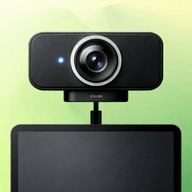
PortShot turns your iPad into a capture monitor for USB-C external UVC cameras, with in-app photo and video saving kept separate from the Camera Roll.

Deep Practice Studio helps you turn YouTube links, PDFs, images, videos, and audio into structured practice materials in one place.


Struggling to remember one-time passwords? LOOPT is a memory game built to help you train.